Your Royal Holloway Timetable
Every Lecture, Every Room, On the Map
Connect once and your teaching for the year lands in the app. Each room code becomes a building pin with walking directions, so you know where to go, not just when.
How it works
Up and running in seconds.
Sign in with Royal Holloway
You sign in on the university's own page. The app never sees your password.
We find your timetable
The app fetches your calendar link for you, so there is nothing to copy or paste.
See where to go
Every room code is matched to a building on the campus map, with walking directions.
Why people use it
Room codes become places
EWD-1-04 is the Emily Wilding Davison Building, first floor, room 04. The app shows the building on the map and keeps the room number for once you are inside.
Day, week or month
Look at today, plan your week, or check a whole month. Filter to lectures, seminars or practicals when you only care about one.
A nudge before each session
Once your timetable is connected the app reminds you fifteen minutes before a session starts, so a 9am in a building you have never been to is less of a gamble.
Works offline
Your timetable is stored on your device, so it opens instantly and still works when you are crossing campus with no signal.
Alongside what else is on
Your teaching and campus events share one calendar, so a society social you wanted to go to does not clash with a seminar you forgot about.
What people say
"Showed this to my flatmates and now we all use it. The SU events bit is proper useful."
"Found out about the careers fair through this when I completely missed the email."
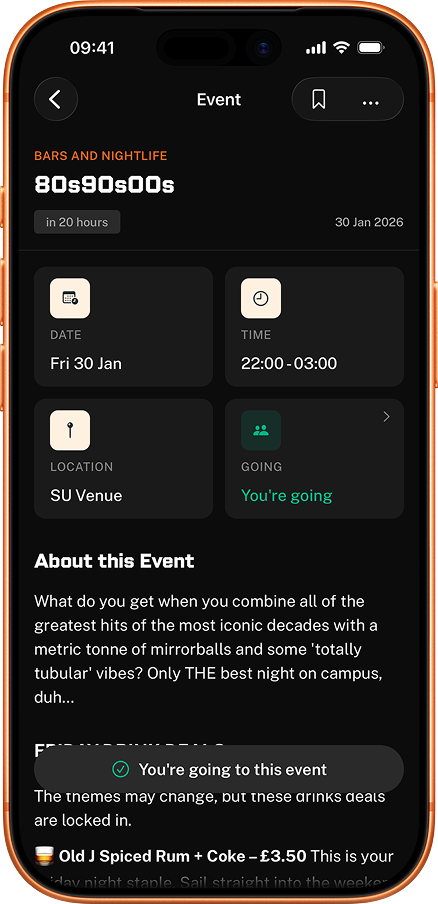
"Was going to miss 80s90s00s but my mate checked this and we made it. Genuinely saved my Friday."
"I keep finding random events I'd never hear about otherwise. Went to a jazz night last week."
Frequently asked questions
Where does the timetable come from?
From Royal Holloway's own web timetable at webtimetables.royalholloway.ac.uk, the same system you would use in a browser. The app reads your personal calendar feed from it, so what you see matches the university exactly.
Do you see my Royal Holloway password?
No. You sign in on Royal Holloway's own page inside the app. We never read, prefill or store anything you type into a password field, and we never write anything back to the university's systems.
What does a room code like EWD-1-04 mean?
It is the building abbreviation, then the room. EWD-1-04 is the Emily Wilding Davison Building, first floor, room 04. HORTON-HLT2 is Horton Building, Lecture Theatre 2. The app matches the building half to a pin on the campus map so you get walking directions rather than a code.
Why is my timetable empty?
Either you are outside term, or you are not yet allocated to all your teaching. A 2025/26 timetable runs from late September to early April, so checking over the summer shows nothing. Early in the year it fills in as module registration completes.
Does it update when a room changes?
Yes. The app re-checks your timetable rather than keeping a snapshot, so a room move or a rescheduled seminar comes through. This is the main reason not to screenshot your week in September.
Will it remind me before a lecture?
Yes. Once a timetable is connected the app schedules a reminder fifteen minutes before each session, on your phone rather than from a server, so it fires whether or not you have signal. Hide an activity type you do not care about, such as optional attendance, and it stops reminding you about those too.
Which rooms does it not know?
Royal Holloway uses more room prefixes than the app currently maps, so a handful of codes, mostly off-campus and specialist teaching spaces, arrive without a pin. The app says it cannot place those rather than guessing, because a confident pin on the wrong building is worse than none.
Do I need an account?
No. You can connect your timetable without signing up for anything, the same as the rest of the app. Signing in with Apple or Google is optional and only syncs your other preferences.
Is it free?
Yes. Free on iOS and Android, no ads, no subscription.